


Download Ace PACES – Pass The MRCP PACES And Medical Student OSCE Exams
Overview
Ace PACES – Pass The MRCP PACES And Medical Student OSCE Exams is a specialized mobile application designed for medical students and professionals preparing for high-stakes clinical assessments. The app focuses on the MRCP PACES (Professional and Clinical Examination) and OSCE (Objective Structured Clinical Examination), two critical components in medical training and certification. Its primary purpose is to support users in mastering clinical skills, patient communication, and structured examination techniques through targeted practice scenarios. The app is tailored for individuals navigating the rigorous demands of postgraduate medical education, particularly those in the UK and other regions that follow similar clinical evaluation frameworks.
By offering a digital platform for simulated clinical encounters, the app helps users overcome common challenges such as time management, confidence under pressure, and inconsistent feedback. It serves as a supplemental study tool that enables learners to rehearse real-world clinical situations at their convenience, whether during breaks, commuting, or in dedicated study sessions. The target audience includes medical students in their final years, junior doctors, and postgraduate trainees preparing for formal clinical exams.
Developed by London App Brewery LTD, a known entity in the medical education space, the app reflects a commitment to delivering structured, high-quality learning content. Although the developer did not provide additional technical details, the app’s focus on exam-specific preparation suggests a strong alignment with curriculum standards. Its presence in the medicine category underscores its role in the broader ecosystem of digital health and medical training tools. The app’s continued availability since 2019 indicates a sustained relevance for its user base.
Key Features & Functionality
- Exam-Style Scenario Simulations – The app provides structured clinical scenarios that mirror real PACES and OSCE stations, allowing users to practice history-taking, physical examination, and communication skills in a controlled environment.
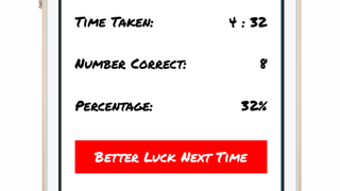
- Interactive Feedback Mechanisms – Users receive immediate, guided feedback on their performance, helping them identify strengths and areas for improvement in their clinical approach.
- Comprehensive Question Bank – A curated library of cases covers common and high-yield topics in internal medicine, surgery, pediatrics, psychiatry, and emergency medicine.
- Customizable Practice Modes – Learners can select specific exam stations or topics for focused review, enabling efficient and targeted study sessions.
- Progress Tracking Tools – The app includes features to monitor performance over time, helping users measure improvement and adjust study strategies accordingly.
Each feature is designed to simulate authentic clinical environments. For example, a user preparing for a respiratory station might encounter a scenario involving a patient with chronic obstructive pulmonary disease, where they must perform a focused examination, explain findings, and discuss management. The app supports iterative learning by allowing repeated practice until confidence and competence are achieved. This approach is especially valuable for users who may have limited access to live clinical simulations or standardized patients. The integration of feedback ensures that users are not only practicing but also learning from each session, making the app a dynamic study companion rather than a passive resource.
Interface, UX & Performance
The user interface of Ace PACES is designed with clarity and usability in mind, catering to users who need to focus intensely on clinical content without distraction. The layout follows a logical flow, with intuitive navigation between different exam stations, practice modes, and progress reports. Visual elements are minimalistic, prioritizing readability and ease of access to key functions. Users can quickly select a scenario, begin practice, and review feedback without navigating through excessive menus.
Navigation is consistent across the app, with clear labels and a hierarchical structure that supports both new users and those returning after extended breaks. The app’s responsiveness is evident in its smooth transitions between screens and real-time feedback delivery. Although the developer did not list formal performance metrics, the app’s 46.4 MB size suggests optimized resource usage, which likely contributes to stable performance on a range of iOS devices.
Stability appears to be a key design priority, as the app has remained available since its 2019 release with a consistent version update history. Users can expect reliable operation during study sessions, with minimal crashes or lag. The app’s performance on older and newer iOS devices is not explicitly detailed, but its compatibility with iOS 12.1.2 indicates broad support across the Apple ecosystem. Overall, the UX is streamlined and effective, aligning with the high-pressure needs of medical exam preparation.
Platform Compatibility & Technical Requirements
Ace PACES is available exclusively for iOS devices, specifically designed for iPhone. It requires a minimum operating system version of iOS 12.1.2, ensuring compatibility with a wide range of iPhone models released from 2017 onward. The app is optimized for the iPhone form factor, leveraging touch-based interactions and screen layout for seamless usability.
The current software version is 1.2, indicating a mature release with established functionality. The file size of the app is 46.4 MB, which is relatively compact for a medical education tool with interactive content. This size suggests efficient coding and minimal bloat, contributing to faster downloads and lower storage usage. The app is available only in English, which aligns with the primary language of medical training in the UK and many international medical schools.
The developer did not specify additional technical requirements such as RAM, processor speed, or background processes. However, the app’s size and OS compatibility suggest it is lightweight and accessible to most iPhone users. It is a full version app, meaning no in-app purchases or subscriptions are required for access to all features.
Pros and Cons
Pros
- Targeted focus on MRCP PACES and OSCE exam preparation
- Comprehensive, high-yield clinical scenario library
- Interactive feedback enhances learning retention
- Compact file size (46.4 MB) for efficient storage use
- Full version with no in-app purchases or paywalls
- Available in English, widely used in medical education
Cons
- Only available on iOS, limiting access for Android users
- Compatibility with iOS 12.1.2 or above may exclude older devices
- Developer did not provide detailed performance metrics
- No information on cloud sync or cross-device access
- Version 1.2 has not been updated since 2019, raising questions about ongoing support
FAQ
Is Ace PACES available for Android devices?
No, the app is currently only available for iPhone and iOS devices. There is no Android version released at this time.
Can I use Ace PACES without an internet connection?
Yes, the app functions offline after initial download. All content and features are stored locally, making it ideal for studying on the go.
Is the app updated regularly?
The app’s current version is 1.2, which was released in 2019. The developer has not provided information on recent updates or future development plans.
Does Ace PACES require a subscription or in-app purchases?
No, it is a full version app with no additional costs. All features are accessible upon download.
How does the app help with exam confidence?
By simulating real exam conditions with structured feedback, the app helps users build familiarity with station formats, improve communication skills, and reduce anxiety through repeated practice.
Final Thoughts
Ace PACES – Pass The MRCP PACES And Medical Student OSCE Exams stands as a focused, practical tool for medical professionals preparing for critical clinical assessments. Its specialized content, interactive feedback, and streamlined interface make it a valuable addition to any study routine. While its lack of recent updates and limited platform availability may be drawbacks, its core functionality remains relevant for users seeking a reliable, no-cost preparation resource.
The compact size and full-featured nature enhance its accessibility and usability. For medical students and junior doctors in the UK and beyond, this app offers a structured, exam-centric approach to mastering clinical skills. It bridges the gap between theoretical knowledge and practical application, providing a digital simulation environment that mirrors real-world expectations.
Download Ace PACES now







